
前言#
前两天我们分别分析了ref、reactive、computed三个响应式api
坏蛋Dan:vue runtime源码分析学习——响应式原理day1: ref和reactive
坏蛋Dan:vue runtime源码分析学习——响应式原理day2: computed
今天我们来分析watch
watch#
watch比较特殊,代码位置没有放到reactivity包里,而是放到了runtime-core里面:packages\runtime-core\src\apiWatch.ts
// overload: array of multiple sources + cb
export function watch<
  T extends MultiWatchSources,
  Immediate extends Readonly<boolean> = false
>(
  sources: [...T],
  cb: WatchCallback<MapSources<T, false>, MapSources<T, Immediate>>,
  options?: WatchOptions<Immediate>
): WatchStopHandle

// overload: multiple sources w/ `as const`
// watch([foo, bar] as const, () => {})
// somehow [...T] breaks when the type is readonly
export function watch<
  T extends Readonly<MultiWatchSources>,
  Immediate extends Readonly<boolean> = false
>(
  source: T,
  cb: WatchCallback<MapSources<T, false>, MapSources<T, Immediate>>,
  options?: WatchOptions<Immediate>
): WatchStopHandle

// overload: single source + cb
export function watch<T, Immediate extends Readonly<boolean> = false>(
  source: WatchSource<T>,
  cb: WatchCallback<T, Immediate extends true ? T | undefined : T>,
  options?: WatchOptions<Immediate>
): WatchStopHandle

// overload: watching reactive object w/ cb
export function watch<
  T extends object,
  Immediate extends Readonly<boolean> = false
>(
  source: T,
  cb: WatchCallback<T, Immediate extends true ? T | undefined : T>,
  options?: WatchOptions<Immediate>
): WatchStopHandle

// implementation
export function watch<T = any, Immediate extends Readonly<boolean> = false>(
  source: T | WatchSource<T>,
  cb: any,
  options?: WatchOptions<Immediate>
): WatchStopHandle {
  if (__DEV__ && !isFunction(cb)) {
    warn(
      `\`watch(fn, options?)\` signature has been moved to a separate API. ` +
        `Use \`watchEffect(fn, options?)\` instead. \`watch\` now only ` +
        `supports \`watch(source, cb, options?) signature.`
    )
  }
  return doWatch(source as any, cb, options)
} 这波重载的量有些大,也是因为watch的用法较多:
- 数组 + 回调
watch([fooRef, barRef], ([foo, bar], [prevFoo, prevBar]) => {
  /* ... */
})- 同上,但是将第一个参数数组当作是一个常量,
readonly。 - 单个数据 + 回调
watch(
  () => state,
  (newValue, oldValue) => {
    // newValue === oldValue
  },
  { deep: true }
) - 单个数据,但是是用
reactive包裹的数据
const state = reactive({ count: 0 })
watch(state, () => {
  /* triggers on deep mutation to state */
}) 然后就是实现了,我们来看下doWatch做了什么
doWatch#
function doWatch(
  source: WatchSource | WatchSource[] | WatchEffect | object,
  cb: WatchCallback | null,
  { immediate, deep, flush, onTrack, onTrigger }: WatchOptions = EMPTY_OBJ
): WatchStopHandle {
  if (__DEV__ && !cb) {
    if (immediate !== undefined) {
      warn(
        `watch() "immediate" option is only respected when using the ` +
          `watch(source, callback, options?) signature.`
      )
    }
    if (deep !== undefined) {
      warn(
        `watch() "deep" option is only respected when using the ` +
          `watch(source, callback, options?) signature.`
      )
    }
  }

  const warnInvalidSource = (s: unknown) => {
    warn(
      `Invalid watch source: `,
      s,
      `A watch source can only be a getter/effect function, a ref, ` +
        `a reactive object, or an array of these types.`
    )
  }

  const instance = currentInstance
  let getter: () => any
  let forceTrigger = false
  let isMultiSource = false

  if (isRef(source)) {
    getter = () => source.value
    forceTrigger = isShallow(source)
  } else if (isReactive(source)) {
    getter = () => source
    deep = true
  } else if (isArray(source)) {
    isMultiSource = true
    forceTrigger = source.some(s => isReactive(s) || isShallow(s))
    getter = () =>
      source.map(s => {
        if (isRef(s)) {
          return s.value
        } else if (isReactive(s)) {
          return traverse(s)
        } else if (isFunction(s)) {
          return callWithErrorHandling(s, instance, ErrorCodes.WATCH_GETTER)
        } else {
          __DEV__ && warnInvalidSource(s)
        }
      })
  } else if (isFunction(source)) {
    if (cb) {
      // getter with cb
      getter = () =>
        callWithErrorHandling(source, instance, ErrorCodes.WATCH_GETTER)
    } else {
      // no cb -> simple effect
      getter = () => {
        if (instance && instance.isUnmounted) {
          return
        }
        if (cleanup) {
          cleanup()
        }
        return callWithAsyncErrorHandling(
          source,
          instance,
          ErrorCodes.WATCH_CALLBACK,
          [onCleanup]
        )
      }
    }
  } else {
    getter = NOOP
    __DEV__ && warnInvalidSource(source)
  }

  // 2.x array mutation watch compat
  if (__COMPAT__ && cb && !deep) {
    const baseGetter = getter
    getter = () => {
      const val = baseGetter()
      if (
        isArray(val) &&
        checkCompatEnabled(DeprecationTypes.WATCH_ARRAY, instance)
      ) {
        traverse(val)
      }
      return val
    }
  }

  if (cb && deep) {
    const baseGetter = getter
    getter = () => traverse(baseGetter())
  }

  let cleanup: () => void
  let onCleanup: OnCleanup = (fn: () => void) => {
    cleanup = effect.onStop = () => {
      callWithErrorHandling(fn, instance, ErrorCodes.WATCH_CLEANUP)
    }
  }

  // in SSR there is no need to setup an actual effect, and it should be noop
  // unless it's eager
  if (__SSR__ && isInSSRComponentSetup) {
    // we will also not call the invalidate callback (+ runner is not set up)
    onCleanup = NOOP
    if (!cb) {
      getter()
    } else if (immediate) {
      callWithAsyncErrorHandling(cb, instance, ErrorCodes.WATCH_CALLBACK, [
        getter(),
        isMultiSource ? [] : undefined,
        onCleanup
      ])
    }
    return NOOP
  }

  let oldValue = isMultiSource ? [] : INITIAL_WATCHER_VALUE
  const job: SchedulerJob = () => {
    if (!effect.active) {
      return
    }
    if (cb) {
      // watch(source, cb)
      const newValue = effect.run()
      if (
        deep ||
        forceTrigger ||
        (isMultiSource
          ? (newValue as any[]).some((v, i) =>
              hasChanged(v, (oldValue as any[])[i])
            )
          : hasChanged(newValue, oldValue)) ||
        (__COMPAT__ &&
          isArray(newValue) &&
          isCompatEnabled(DeprecationTypes.WATCH_ARRAY, instance))
      ) {
        // cleanup before running cb again
        if (cleanup) {
          cleanup()
        }
        callWithAsyncErrorHandling(cb, instance, ErrorCodes.WATCH_CALLBACK, [
          newValue,
          // pass undefined as the old value when it's changed for the first time
          oldValue === INITIAL_WATCHER_VALUE ? undefined : oldValue,
          onCleanup
        ])
        oldValue = newValue
      }
    } else {
      // watchEffect
      effect.run()
    }
  }

  // important: mark the job as a watcher callback so that scheduler knows
  // it is allowed to self-trigger (#1727)
  job.allowRecurse = !!cb

  let scheduler: EffectScheduler
  if (flush === 'sync') {
    scheduler = job as any // the scheduler function gets called directly
  } else if (flush === 'post') {
    scheduler = () => queuePostRenderEffect(job, instance && instance.suspense)
  } else {
    // default: 'pre'
    job.pre = true
    if (instance) job.id = instance.uid
    scheduler = () => queueJob(job)
  }

  const effect = new ReactiveEffect(getter, scheduler)

  if (__DEV__) {
    effect.onTrack = onTrack
    effect.onTrigger = onTrigger
  }

  // initial run
  if (cb) {
    if (immediate) {
      job()
    } else {
      oldValue = effect.run()
    }
  } else if (flush === 'post') {
    queuePostRenderEffect(
      effect.run.bind(effect),
      instance && instance.suspense
    )
  } else {
    effect.run()
  }

  return () => {
    effect.stop()
    if (instance && instance.scope) {
      remove(instance.scope.effects!, effect)
    }
  }
}量有些大,我们慢慢分析。老样子,ssr和兼容性相关的这里不做分析。
前面两个没有回调的warn就过了。
currentInstance:这个不必多说,就是指向当前的组件。前面分析processComponents的时候有遇到过,在组件执行setup函数的时候就会触发setCurrentInstance将currentInstance这个模块里的唯一变量指向当前这个组件自己。后面执行完setup函数后会执行unsetCurrentInstance将currentInstance置为null。forceTrigger:看名字应该是强制触发的意思。isMultiSource:看名字应该是表示监听的目标也就是这个source是一个多值混合的数组。
前面一段是在分析source也就是监听对象的类型,然后走不同的逻辑获得getter。
isRef:ref包裹的对象,需要xx.value,所以getter是() => source.value。这里还有一个isShallow表示数据是浅监听,如果value是一个对象但是是isShallow,那么不会给这个value做reactive处理,而是是用原值,所以是”浅“的。isReactive:reactive包裹的对象,那么这个时候getter就是() => source。并且将deep标志位置为true,表示深度监听。isArray:将isMultiSource标志位置为true;只要这个数组中发现了reactive或者shallow类型的值,那么就将forceTrigger置为true。getter自然得是做遍历处理,并且给它里面的元素根据不同类型做不同的处理。这里针对reactive类型的数据还需要做一层递归扁平化处理,因为需要深度监听。traverse方法这里就不分析了,简单的说就是在递归这个对象,确认每个字段都被访问过了,这样才能对每个字段都收集对应的effect。callWithErrorHandling我们遇到过很多次了,就是在执行这个function然后返回执行值,如果有错误就收集,instance就是用于收集错误的,不涉及函数的执行。isFunction:也就是传入的source是一个回调,这个时候getter根据是否有第二个参数也就是cb分成两种情况:1. 有cb,getter为() => source();2. 没有cb,getter是一个单独的effect,还需要判断组件是否mount了以及是否有cleanup函数。这里暂时不清楚为什么需要这么做,先mark下。- 其它乱七八糟的参数类型,直接赋值为
NOOP空函数。
如果存在cb并且deep为true。那么就调用traverse方法递归访问所有source的字段,让它们收集对应的effect。
effect就是ReactiveEffect类的实例,和computed一样,它都有自己的effect。
接下来的就是任务调度相关的了。
我们先不看job这个方法做了什么,我们先往下看下流程。
至于onStop我们就不看了,和SSR相关的。
如果没有cb,那么job的allowRecurse即允许递归的标志位被置为false,有则为true。
flush是vue3新增的字段,这个字段是用来控制这个watcher更新的时间的,默认情况下watcher被触发是会比组件render早那么一点,现在可以通过这个字段来控制执行watcher的时间。
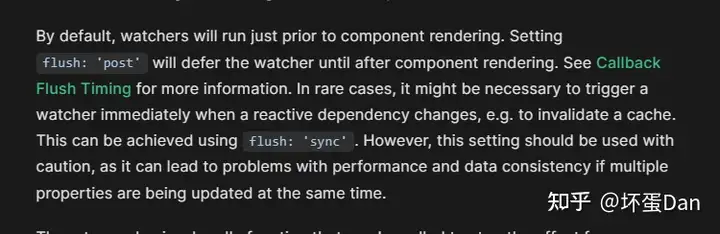
当flush的值是post的情况下这个watcher触发会比组件render的时间晚,而sync则是响应式数据发生改变之后立即被触发。具体可看:https://vuejs.org/guide/essentials/watchers.html#callback-flush-timing
那么回到我们的代码中。
- 默认情况下是
pre,将job的pre字段标记为true,那么表示这个任务在调度队列中会尽量的靠前。然后把组件的uid赋值给这个job。而调度器(scheduler)就是() => queueJob(job),这个我们太熟了,之前分析processComponents的时候说过了,这里就不再多说什么了,简单地说就是放到调度队列中被排好序等待执行。 - 如果是
sync,表示传入的数据发生改变之后需要立即触发。这个时候调度器就是job自身,不需要进入调度队列中等待执行。 - 如果是
post,那么这个时候这个数据需要等待组件render之后才会触发,所以放到了queuePostRnederEffect里面,这个放到我们之前说过,就是等待调度队列清洗完毕之后才会执行的cbs队列。那么为什么放到这里呢?因为组件的render/update是放到queueJob里面的,所以这个时候放到cbs里是不会有时间上的冲突问题的。
然后开始创建effect,我们说过很多次这个ReactiveEffect了,所以这里简单的说下即可。
第一个参数getter会被effect.run的时候触发,而第二个参数scheduler则是优先于effect.run方法触发的,如果有scheduler则触发它,没有才会去触发effect.run。
然后是初始化的内容,如果有回调并且immediate字段是true,那么这个时候初始化需要立即执行这个cb回调。
而如果不需要immediate,那么先执行effect.run也就是触发getter,把返回的值赋值给oldValue。
如果没有cb,那么这个时候需要判断flush是否是post,如果是,那么需要将effect.run放到render之后。
剩下都直接effect.run处理,因为需要同步更新deps里收集的依赖的最新状态。
最后返回一个回调,这个回调会先执行effect.stop,然后判断组件是否有scope(组件的effect都会被放到这里面的effects收集统一管理),如果有,那么调用remove方法将scope里的effects里移除这个effect。remove方法就不用看了,就是一个简单的splice。
这个返回的回调是作为停止监听这个数据的控制开关。
那么我们回过头来看下job做了什么。
如果effect不处于active状态,那么直接return,什么时候不处于active状态呢?我们前面分析unmount的时候就分析过了,会将这个effect/update.active的状态置为false。
如果处于active状态并且存在cb,那么这个时候先不管三七二十一,先触发一波effect.run获取最新的值newValue,注意,这个时候已经有oldValue了,在初始化的时候执行的effect.run获取的。
如果是deep或者forceTrigger又或者是isMultiSource也就是同时监听多个数据并且里面有值发生了改变,兼容性的这里就不说了。那么这个时候就需要触发cb,并且传入newValue和oldValue。
如果没有cb就直接触发effect.run即可。
总结#
简单的总结下。
- 处理传入的第一个参数,根据不同类型做不同处理转换成
getter,这个getter会返回监听数据的当前值。并且这个过程中收集下deep、forceTrigger和isMultiSource三个状态。这里有一点需要注意:对于reactive包裹的对象类型或者需要deep的数据来说,它的getter是需要通过traverse去递归访问所有的字段的,这么做是为了触发每个字段自身的getter去收集对它有依赖的effect。 - 将
job处理成scheduler,根据不同的场景设置它被触发的时机。默认flush为pre,job会被放到调度队列里,会早于组件的render。而如果是post,job被放到了调度cbs队列里,等待组件render完毕才触发。而如果是sync则在监听的数据被修改的时候立即触发,即scheduler就是job本身。 - 创建一个新的
effect,第一个参数是getter,会被effect.run触发。第二个参数则是scheduler,被监听的数据发生变化之后会去执行triggerEffect用来触发effect,而优先是触发scheduler,没有才会触发effect.run。 - 初始化,这个时候需要执行
effect.run用来获取oldValue,如果immediate标志位是true,那么这个时候就会立即触发一次effect.run。 - 最后返回一个回调作为清除
watcher的开关。
这里有个点你需要明细:被监听的数据触发的effect是通过数据自身的setter触发的triggerEffect来触发当前watcher的effect的。
而对于watcher自身触发的effect.run是不会影响被监听的数据自身的。
另外你可能会疑惑这里watcher啥时候和被监听的数据建立联系的?
实际上是在初始化的时候会执行effect.run方法,这个时候全局唯一的activeEffect会指向当前watcher表示的effect,然后触发了传入ReactiveEffect的第一个参数,也就是getter,那么触发被监听数据的trackEffect方法,那么这样这两者就建立了联系。
参考#
发布于 2023-03-24 20:59・IP 属地广东